Skylight Calendar Alternatives (Screen and No-Screen Options)

Founder of PicCal. Dad of two. Built the app because he was tired of typing 20 soccer games into his calendar by hand.
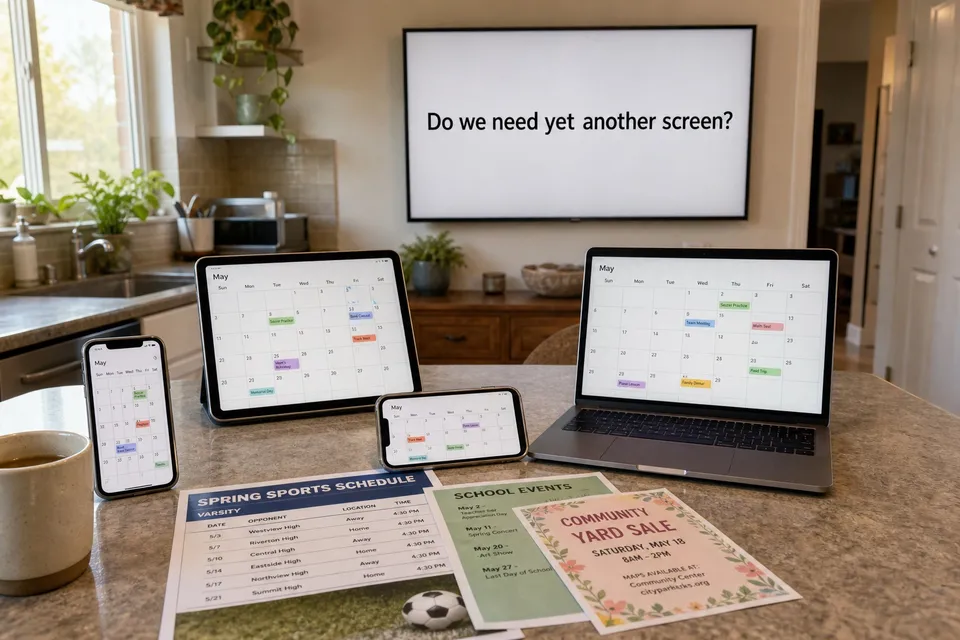
I've seen the Skylight Calendar in a few friends' kitchens, and it's genuinely nice. The big touchscreen on the wall, everyone's activities color-coded, chores and meal plans right there at breakfast. If you want a command center for family life, it does the job well.
But standing in one of those kitchens, I kept thinking the same thing: I don't need another screen. We already have phones, a tablet, and a laptop, and they all sync to the same calendar. What I actually needed was a faster way to get the school and soccer schedules into that calendar. The screen was never the problem.
If that sounds like your house, this guide is for you. Below are the honest alternatives to Skylight, split by the only question that really matters.
Quick Answer
The best Skylight Calendar alternative depends on whether you want a wall screen at all. If you do, look at Hearth Display or Cozi on a spare tablet. If you just want schedules on the calendar your family already shares, a picture-to-calendar app like PicCal gets events from a photo onto Apple or Google Calendar with no hardware to buy.
Why families look past Skylight
Skylight has real fans, and the complaints are usually not about whether it works. They're about fit. The reasons people go looking for an alternative tend to cluster:
- It's another device in a house full of them. Deloitte's Connected Consumer survey found the average U.S. household already runs about 21 connected devices, and that many people find managing them overwhelming.
- The events still live in one place. A wall calendar is great at home. It doesn't ride in your pocket to the field, the office, or the pickup line unless you also keep a phone calendar in sync.
- The ongoing cost. The hardware is a one-time buy, but the features many people want sit behind a yearly subscription. More on that below.
- You already have a system. Plenty of families are not disorganized. They share an Apple or Google calendar that works fine. They just dread typing 30 events off a printout.
The real question: screen or no screen?
Almost every Skylight alternative falls into one of two camps. Sort yourself first and the choice gets easy.
You want a shared display. A screen on the wall that everyone glances at, with chores, meals, and photos alongside the calendar. This is a lifestyle choice, and it's a fair one. Skylight, Hearth, and a tablet running Cozi all live here.
You want events on the calendar you already carry. No new surface to mount or charge. You keep using the shared calendar on your phones, and you want the data entry to stop hurting. This is where a picture-to-calendar app fits.
Alternatives if you want a wall display
- Hearth Display. The most direct Skylight competitor. A large touchscreen calendar for the wall with routines, lists, and family profiles. Similar promise, similar model: hardware plus a subscription. Pick it if you're set on a display and want to compare against Skylight on features and price.
- Cozi on a spare tablet. Cozi is a free family organizer app with a shared calendar, lists, and meal planning. Prop up an old iPad in the kitchen and you get most of the always-on feel for the cost of a stand. Cheaper, less polished, no wall mount.
- Skylight itself. Worth saying plainly: if you love the idea of the wall calendar and the price fits, Skylight is a good product. Not every family should switch away from it.
Alternatives if you just want events on your calendar
This is the camp Skylight tends to over-serve. If your calendar already works and the pain is purely getting schedules into it, you don't need a screen. You need to kill the typing.
- PicCal. Take a photo of any schedule, flyer, or screenshot, and PicCal reads every event and adds it to Apple or Google Calendar. It runs on the phone you already have, so the events show up on every device that syncs to your account. No hardware, no wall to clear. We ran a 24-game travel-ball PDF through it and all 24 games landed with the right dates and times.
- Your phone's built-in shared calendar. Apple Calendar and Google Calendar both let you share a calendar with your spouse and kids for free. The catch is the same as always: you still have to enter the events. Great as the destination, slow as the on-ramp.
The two work well together. Share one family calendar, then use PicCal as the fast way to fill it. The slow part of any calendar has never been checking it. It's getting everything onto it in the first place, and that's the part a photo handles in seconds.
Side-by-side comparison
| Option | New screen? | Cost | Best for |
|---|---|---|---|
| Skylight | Yes (wall) | Device + yearly plan | A shared kitchen command center |
| Hearth Display | Yes (wall) | Device + yearly plan | Display shoppers comparing to Skylight |
| Cozi on a tablet | Sort of | Free (uses old tablet) | A cheap always-on view |
| Shared Apple/Google Calendar | No | Free | Families fine with manual entry |
| PicCal | No | Free tier; Pro $19.99/yr | Filling your existing calendar fast |
Which one fits your family
- You want the wall screen and the whole family hub. Compare Skylight and Hearth head to head, or try Cozi on a tablet first to see if you'll actually use it.
- You already share a calendar and just hate typing events. Skip the hardware. Use PicCal to photograph schedules straight onto the calendar you already open every morning.
- You're not sure the family will use a new device. Start with the free, no-screen path. You can always buy a display later if the wall calendar habit sticks.
Skylight solves a real problem for the families who want a shared screen. For the rest of us, the schedules just need to land on the phones we're already holding. Pick the one that matches the house you actually live in.
How PicCal works
Snap
Photo or screenshot
Review
Check the details
Done
On your calendar
Skip the manual entry.
PicCal turns photos and screenshots into calendar events in seconds.
Frequently Asked Questions
Is there a Skylight Calendar alternative that doesn't need a wall screen?
Yes. If your goal is getting events onto the calendar your family already uses, an app like PicCal does that from your phone. You snap a photo of a schedule or flyer and the events go to Apple or Google Calendar. No hardware, no second display to hang and charge.
What's the closest thing to Skylight for people who already share a Google or Apple calendar?
A picture-to-calendar app. The main friction with a shared phone calendar is data entry, not the calendar itself. PicCal removes the typing by reading schedules from a photo and dropping every event onto the shared calendar you already check.
Are there other family wall displays like Skylight?
Yes. Hearth Display is a direct hardware competitor, and you can run Cozi on a spare tablet for a similar always-on view. All of them are still a screen you buy, mount, and maintain. Worth it for some families, unnecessary for others.
Is Skylight worth it, or should I switch?
If you want a shared touchscreen on the kitchen wall for chores, meals, and photos, Skylight is a solid pick. If you mainly want schedules to land on the phones you already carry, a screen is more than you need. That's the honest split.
Keep Reading
Did this answer your question?
Thanks for the feedback!
Still have questions? We'd love to chat.
hello@piccal.ai